pixelbin
Production media pipelines in Claude — 85+ AI APIs, 60+ URL transformations, CDN, DAM. Generate images and videos, transform via URL, build SEO landing pages with your brand's design system.
pinned to #b14f137updated 3 months ago
Ask your AI client: “install plugins/pixelbin”.
Requires the metahub MCP server installed in your client. Set up MCP.
mh install plugins/pixelbinmetahub onboarded this repo on the author's behalf.
If you own github.com/anandpareek-hub/pixelbin-claude-skill on GitHub, claim the listing to take over publishing. Your claim preserves the existing eval history and badges; only the curator label is replaced with verified-publisher on your next publish.
Stars
11
Last commit
3 months ago
Latest release
published
What's bundled
Items extracted from this plugin's manifest + directory tree.
Skills (1)
skills/pixelbinUse when the user wants to generate AI images or videos, transform/edit existing media, build production media pipelines, get CDN URLs for images/videos, do bulk image processing (background remova…
Commands (1)
/pixelbinActivate the **PixelBin Claude Skill**. Use this whenever you want to generate AI images / videos, transform existing media via CDN URLs, build production media pipelines, generate humanized SEO co…
Automated checks the publisher passed at publish time — structure, docs, safety, and whether the artifact behaves as claimed.b14f137· 3 months ago
Documentation
4 passed1 warningTags / topics declaredwarn
No manifest tags and no GitHub repo topics
Add tags to the manifest (or GitHub topics on the repo) so the registry's search and category filters surface this artifact.
Description quality
30 words · 190 chars — "Production media pipelines in Claude — 85+ AI APIs, 60+ URL transformations, CDN…"
README is present and substantial
20,846 chars · 13 sections · 12 code blocks
README has usage / example sections
no labeled section but 12 code blocks document usage
Homepage / docs URL declared
https://github.com/anandpareek-hub/pixelbin-claude-skill
Release history
1- releasecurrentb14f137warn3 months ago
Contents
🚀 The Wow
"Drop 50 product photos in a Claude conversation. Get back e-commerce-ready images — backgrounds removed, upscaled to 4K, watermarked, resized for Amazon, Shopify, and Instagram — in one prompt."
That's not a roadmap. That's what this skill does, today.
✨ Created with just one prompt
<table> <tr> <td align="center" width="20%"> 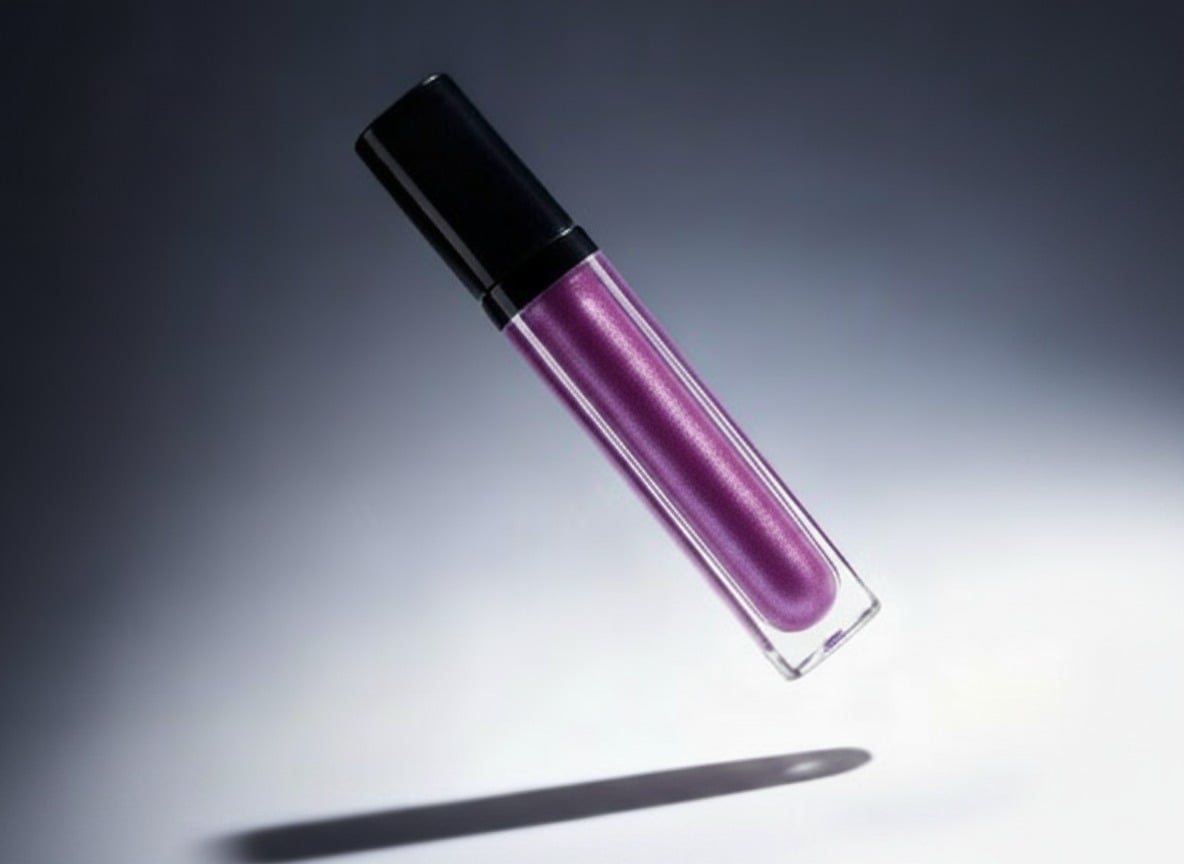 <sub><b>Hero shot</b></sub>
</td>
<td align="center" width="20%">
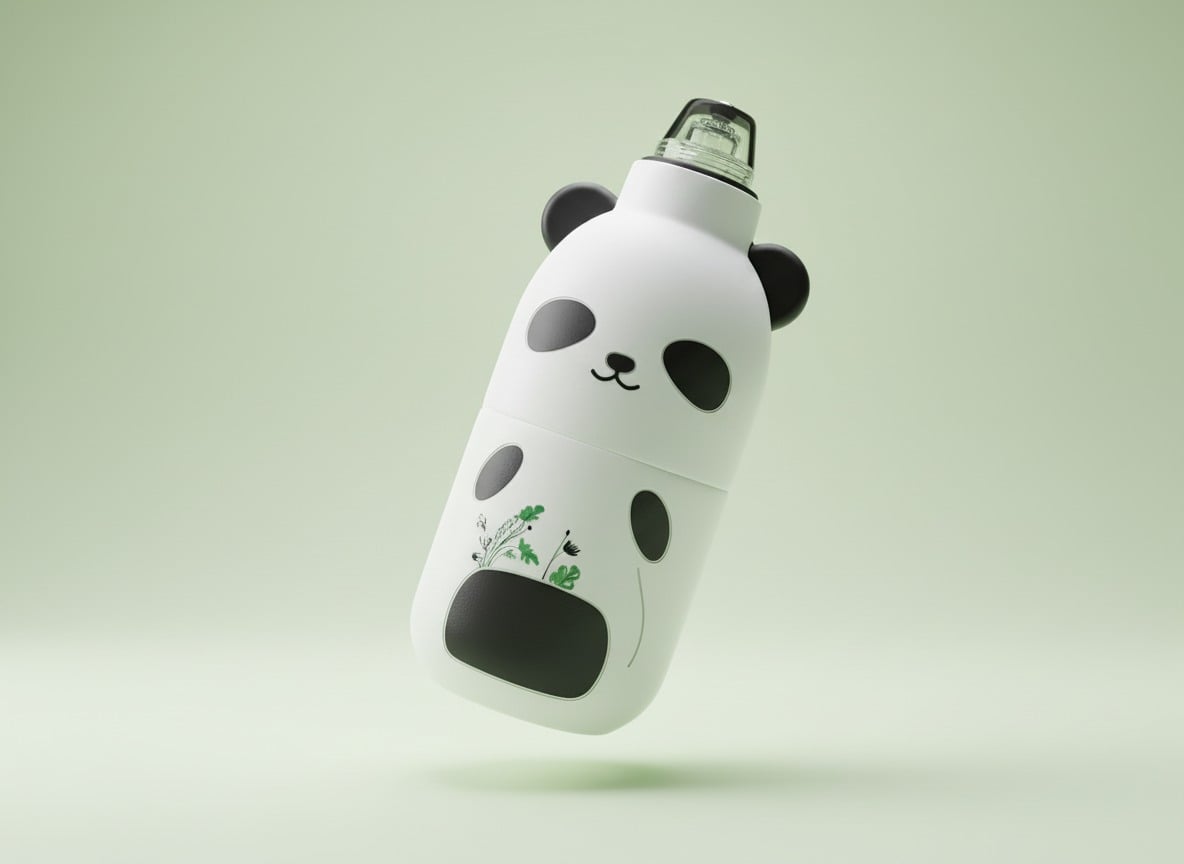
<sub><b>Floating product</b></sub>
</td>
<td align="center" width="20%">

<sub><b>Editorial fashion</b></sub>
</td>
<td align="center" width="20%">
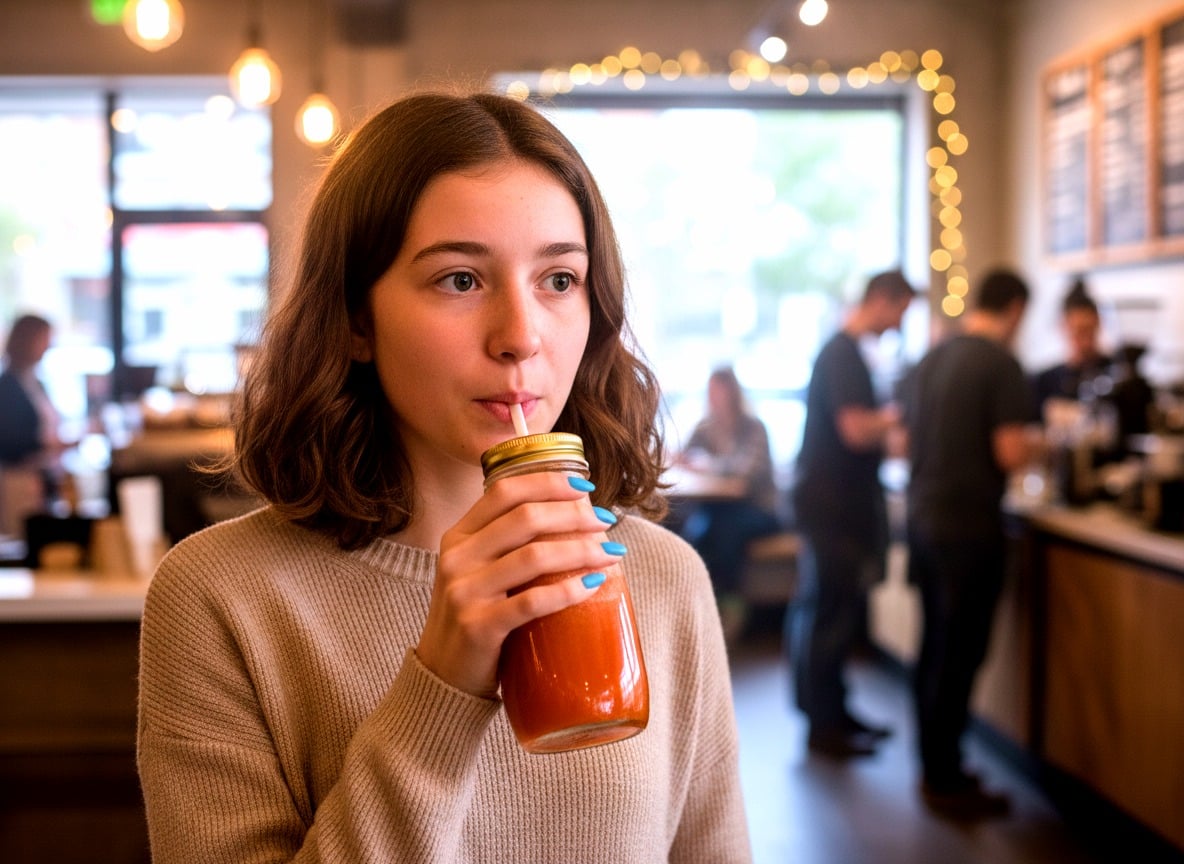
<sub><b>Lifestyle scene</b></sub>
</td>
<td align="center" width="20%">
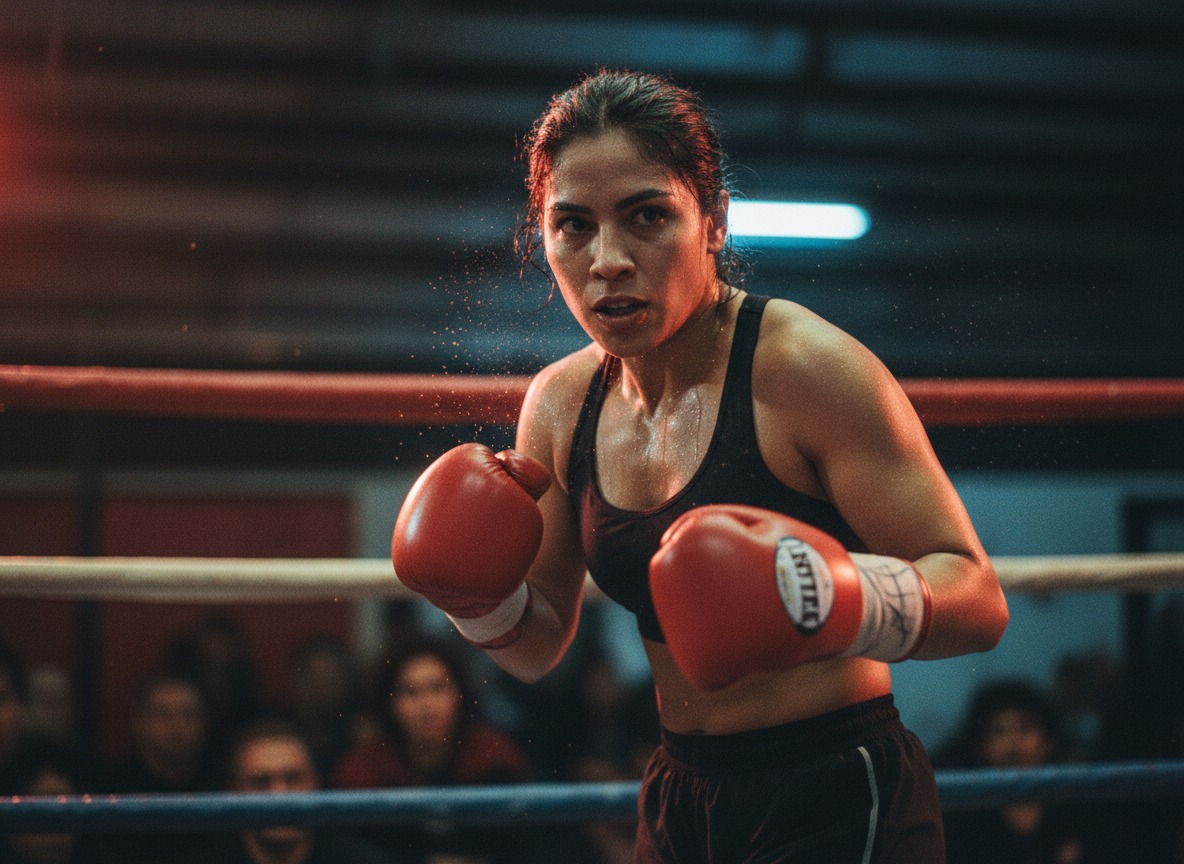
<sub><b>Cinematic frame</b></sub>
</td>
📸 See more → SHOWCASE.md
🆚 How this is different
Most AI-media skills give Claude a single API call. PixelBin gives Claude a production media stack.
| Generic AI media skills | PixelBin Claude Skill |
|---|---|
| One-off API calls | Full media pipeline — generate → store → transform → deliver |
| Image gen, OCR, bg-remove… | 85+ AI APIs: image gen, video gen, OCR, upscale, bg-remove, watermark remove, restore, colorize, expand, relight, frame-interp, video upscale, video watermark remove, +many more |
| Stateless, no CDN | Built-in global CDN — edge cache, HTTP/3, signed URLs, custom domains |
| Per-call billing | URL-param transformations — chain t.resize()~t.toFormat(f:webp)~t.compress() infinitely, free |
| No bulk pipelines | Built for batch — process hundreds in one job, resumable |
| Just an API | Includes DAM — folders, tags, search, access controls, bulk ops |
📌 Powered by the same media infrastructure trusted by enterprise retail brands in production.
🧰 What's inside
1. 85+ AI APIs for image generation, video generation & editing
AI image generation (nanoBanana, nanoBanana 2, nanoBanana Pro), AI video generation (Sora 2, Veo 3, Kling 3, Hailuo, Seedance, LTX-2, Wan 2.5), background removal, watermark removal, AI image upscaling, video upscaling, OCR, photo restoration, colorization, image expansion (outpainting), AI relighting, object removal, frame interpolation, image captioning, sketch-to-image, image-to-video, AI photo editor, and more. → references/apis.md
2. 60+ image transformation operations — chainable in one URL
Image resize, crop, format conversion (WebP / AVIF / JPEG / PNG), quality / compression, watermark, blur, sharpen, brightness, saturation, rotation, padding, tinting, smart-crop, focal-point cropping, art-style presets, and more — all chainable in a single CDN URL with no extra API call. → references/transformations.md
3. Built-in image & video CDN — global edge delivery
Every uploaded asset gets a cdn.pixelbin.io/v2/... URL with HTTP/3, edge caching, signed URLs, and custom domains — production-grade image CDN and video CDN out of the box. → references/cdn.md
4. DAM (Digital Asset Management) for images & videos
Folders, tags, full-text search, access controls (public-read / private), bulk ops, metadata. Manage thousands of images and videos without spinning up your own storage layer.
5. Bulk image processing & batch pipelines
Concurrency-safe batch runners, resumable jobs, progress checkpointing. Bulk image generation (500+ images while you sleep), bulk image transformation (10,000+ product shots in a script), bulk background removal, bulk watermark removal, bulk image upscaling.
📦 What you can build
| Use case | Tools used | Live page |
|---|---|---|
| 🛍️ E-commerce hero shots at scale | image-gen + bg-remove + upscale + resize | AI Image Generator |
| 🧹 Bulk watermark cleanup | watermark-remover | Watermark Remover |
| 🔍 4K upscaling for print/marketing | image-upscale | AI Image Upscaler |
| ✂️ One-click background removal | bg-remove | Remove Background |
| 🎬 AI video generation (text/image → video) | video-gen (Veo 3 / Sora 2 / Kling 3) | AI Video Generator |
| 🎨 AI image editing (inpaint, expand, relight) | nanoBanana 2 / Pro | AI Photo Editor |
| 🌈 Old photo restoration & colorization | restore + colorize | Photo Restoration |
| 📄 Landing-page generation (SEO + images) | seo-content + image-gen + build-page | — |
⚡ Quickstart (3 steps, ~2 minutes)
1. Install
git clone https://github.com/anandpareek-hub/pixelbin-claude-skill.git
cd pixelbin-claude-skill
npm install
Make sure you
cdinto the foldergit cloneactually creates (pixelbin-claude-skill). The repo includesoverridesinpackage.jsonto keep all transitive dependencies (axios, crypto-js, form-data) on patched versions, so a clean install reports 0 vulnerabilities.
2. Configure (paste two values, you're done)
cp .env.example .env
# Open .env in any editor
Paste your API token and cloud name into .env:
PIXELBIN_API_TOKEN=<paste-your-token>
PIXELBIN_CLOUD_NAME=<your-cloud-name>
| Var | Where to find it |
|---|---|
PIXELBIN_API_TOKEN | console.pixelbin.io → Settings → Tokens → API Token |
PIXELBIN_CLOUD_NAME | console.pixelbin.io → Settings → Organization (e.g. round-dust-e06b92) |
🆓 Don't have an account? → Sign up free
3. Just chat with Claude
Once .env is filled and the skill is loaded, you don't need to learn any commands. Try saying:
"Generate a hero image of wireless headphones, soft pastel pink background, square."
You'll get back a permanent CDN URL like:

https://cdn.pixelbin.io/v2/<your-cloud>/original/<folder>/headphones-hero.png
Paste it anywhere — site, ad, deck, Instagram. That's it.
More example prompts → see skills/pixelbin/INTRO.md.
How to load the skill into Claude
Pick the install method that fits your workflow.
Option A — Claude Code plugin (recommended)
Install like you would superpowers — via the Claude Code plugin marketplace:
/plugin marketplace add anandpareek-hub/pixelbin-claude-skill
/plugin install pixelbin@pixelbin-claude-skill
🛠 Requires Claude Code with plugin support. If you see
Unknown skill: plugin, your CLI is too old. Update withnpm i -g @anthropic-ai/claude-codeand restart your session, then retry. If/pluginstill isn't recognized, use Option B (symlink) below.
That gives you, immediately:
- The
/pixelbinslash command - The
pixelbinskill auto-triggered when you say things like "generate AI images via PixelBin", "build a media pipeline", etc.
To use the local clone you already made instead of GitHub, run:
/plugin marketplace add /absolute/path/to/pixelbin-claude-skill
/plugin install pixelbin@pixelbin-claude-skill
⚠️ The plugin still needs
.env(PIXELBIN_API_TOKEN,PIXELBIN_CLOUD_NAME) andnpm installin the cloned repo so the scripts can run. The plugin handles Claude's side; the scripts are what actually call PixelBin.
Option B — Symlink the skill manually
If you don't want the plugin marketplace setup:
ln -s "$(pwd)/skills/pixelbin" ~/.claude/skills/pixelbin
The skill auto-triggers on relevant keywords. Add the slash command too if you want explicit invocation:
mkdir -p ~/.claude/commands
cp commands/pixelbin.md ~/.claude/commands/
Option C — Run the scripts directly (no Claude needed)
node scripts/generate-image.js     # bulk AI image generation
node scripts/generate-video.js     # bulk AI video generation
node scripts/upload.js             # upload local files / URLs → permanent CDN URLs
node scripts/transform.js          # build CDN URLs with transformations
node scripts/seo-content.js        # generate SEO + design brief
node scripts/build-page.js         # assemble HTML page from a spec
See examples/ for ready-to-run job files.
Option D — npm / npx CLI
Once published to npm, the same scripts are available as a single CLI:
npx pixelbin-claude-skill help
npx pixelbin-claude-skill generate-image --jobs ./jobs.json
npx pixelbin-claude-skill seo --keyword "X" --brand-url https://yoursite.com
Or install globally and use the short pixelbin binary:
npm install -g pixelbin-claude-skill
pixelbin generate-image --jobs ./jobs.json
pixelbin build-page --spec ./page-spec.json --out ./dist/index.html
Slash-command usage
After Option A or B (with command copied), you can do:
/pixelbin                                  # shows the menu
/pixelbin generate 6 product hero shots    # straight to image generation
/pixelbin build a landing page for X       # SEO + design system + image gen + HTML
/pixelbin remove watermarks from these     # predictions API flow
🎯 The killer demo — bulk e-commerce in one prompt
Open Claude with this skill loaded and try:
"I have 12 product photos in
./products/. Generate Amazon-, Shopify-, and Instagram-ready versions for each: white background, 4K upscale, square crop for marketplaces, 9:16 for Instagram Reels. Output a JSON of CDN URLs."
The skill orchestrates: upload → bg-remove → upscale → multi-aspect resize → CDN URL build. One prompt. Production-ready URLs out.
See examples/bulk-ecom.example.js.
💸 Pricing & free tier
PixelBin offers a free tier with monthly credits — enough to experiment and ship a small project.
For production volume, paid plans start at low monthly fees with bulk credit packs. → View pricing
When Claude hits an Insufficient credits error, it will surface the upgrade link automatically.
❓ FAQ
What is the PixelBin Claude Skill?
A Claude Code skill (and slash command /pixelbin) that gives Claude direct access to PixelBin's media stack: 85+ AI APIs for image generation, video generation, and image editing; 60+ chainable image transformation operations; built-in CDN for image and video delivery; and DAM for asset management.
Which AI image generation models does it support?
nanoBanana, nanoBanana 2, and nanoBanana Pro — covering fast drafts through hero-tier product photography. Claude picks the right model for the task or asks the user when ambiguous.
Which AI video generation models does it support?
Sora 2, Veo 3 / Veo 3 Fast, Kling 3, Hailuo, Seedance, LTX-2, and Wan 2.5 — text-to-video and image-to-video, including reels, ads, product motion, and cinematic clips.
What image transformations can I chain in a single URL?
Resize, crop, format conversion (WebP, AVIF, JPEG, PNG), compression / quality, watermark, blur, sharpen, brightness, saturation, rotation, padding, tinting, smart-crop, focal-point cropping, and art-style presets — all composable in one cdn.pixelbin.io/v2/... URL with zero per-call cost.
Can I do bulk image processing with this skill?
Yes — bulk image generation, bulk background removal, bulk watermark removal, bulk AI image upscaling, and bulk image transformation are all first-class. Batch runners are concurrency-safe and resumable, so 500–10,000 image jobs survive crashes.
How does the image CDN work?
Every asset uploaded via scripts/upload.js (or the PixelBin SDK) gets a permanent cdn.pixelbin.io/v2/<cloud>/<transformations>/<path> URL served from a global edge network with HTTP/3, signed URLs, and custom-domain support.
Is there a free tier?
Yes — PixelBin offers a free tier with monthly credits for image generation, transformations, and CDN delivery. → Sign up free.
How is this different from a generic AI image generation API?
Generic APIs return one-off images. PixelBin returns CDN-hosted, transformable images: upload once, transform infinitely via URL params, and serve at edge. It's an image generation API + image transformation API + image CDN + DAM in one — built for production media pipelines, not single API calls.
📚 Reference docs
SKILL.md— Claude-facing skill manifest (how Claude uses this)INTRO.md— First-run user walkthrough Claude readsSHOWCASE.md— Full sample gallery (17 images + 4 videos)references/apis.md— All 85+ AI APIs catalogreferences/transformations.md— All 60+ URL transformationsreferences/cdn.md— How the CDN + DAM workreferences/use-cases.md— Recipe playbooks
Official PixelBin docs → pixelbin.io/docs
🤝 Contributing
PRs welcome. Found a transformation we don't cover? A use case worth a recipe? Open an issue.
📄 License
MIT — see LICENSE.
<sub>Built with ❤️ by developers who got tired of stitching 5 APIs to ship one product page.</sub>
<sub>pixelbin.io · pricing · docs</sub>
<script type="application/ld+json"> { "@context": "https://schema.org", "@type": "SoftwareApplication", "name": "PixelBin Claude Skill", "alternateName": ["PixelBin AI Image & Video Skill for Claude", "PixelBin Media Pipeline Skill"], "applicationCategory": "DeveloperApplication", "operatingSystem": "Cross-platform", "description": "Claude Code skill for AI image generation, AI video generation, image transformation, background removal, watermark removal, image upscaling, photo restoration, OCR, bulk image processing, and image CDN delivery — powered by PixelBin's 85+ AI APIs and 60+ URL transformations.", "keywords": "image generation, AI image generation, image transformation, video generation, AI video generation, background removal, watermark removal, image upscaling, image CDN, image API, bulk image processing, DAM, digital asset management, Claude skill, Claude Code plugin, nanoBanana, Sora 2, Veo 3, Kling 3, photo restoration, image editing API", "url": "https://github.com/anandpareek-hub/pixelbin-claude-skill", "offers": { "@type": "Offer", "price": "0", "priceCurrency": "USD" }, "creator": { "@type": "Organization", "name": "PixelBin", "url": "https://www.pixelbin.io" } } </script> <script type="application/ld+json"> { "@context": "https://schema.org", "@type": "FAQPage", "mainEntity": [ { "@type": "Question", "name": "What is the PixelBin Claude Skill?", "acceptedAnswer": { "@type": "Answer", "text": "A Claude Code skill that gives Claude direct access to PixelBin's media stack: 85+ AI APIs for image generation, video generation, and image editing; 60+ chainable image transformation operations; built-in CDN for image and video delivery; and DAM for asset management." } }, { "@type": "Question", "name": "Which AI image generation models does it support?", "acceptedAnswer": { "@type": "Answer", "text": "nanoBanana, nanoBanana 2, and nanoBanana Pro — covering fast drafts through hero-tier product photography." } }, { "@type": "Question", "name": "Which AI video generation models does it support?", "acceptedAnswer": { "@type": "Answer", "text": "Sora 2, Veo 3 / Veo 3 Fast, Kling 3, Hailuo, Seedance, LTX-2, and Wan 2.5 — text-to-video and image-to-video for reels, ads, product motion, and cinematic clips." } }, { "@type": "Question", "name": "What image transformations can be chained in a single URL?", "acceptedAnswer": { "@type": "Answer", "text": "Resize, crop, format conversion (WebP, AVIF, JPEG, PNG), compression, watermark, blur, sharpen, brightness, saturation, rotation, padding, tinting, smart-crop, focal-point cropping, and art-style presets — all composable in one cdn.pixelbin.io/v2/... URL with zero per-call cost." } }, { "@type": "Question", "name": "Can I do bulk image processing with this skill?", "acceptedAnswer": { "@type": "Answer", "text": "Yes — bulk image generation, bulk background removal, bulk watermark removal, bulk AI image upscaling, and bulk image transformation are all supported via concurrency-safe, resumable batch runners." } }, { "@type": "Question", "name": "Is there a free tier?", "acceptedAnswer": { "@type": "Answer", "text": "Yes — PixelBin offers a free tier with monthly credits for image generation, transformations, and CDN delivery." } } ] } </script>Reviews
No reviews yet. Be the first.
Related
Superpowers
Core skills library for Claude Code: TDD, debugging, collaboration patterns, and proven techniques
ECC
Harness-native ECC plugin for engineering teams - 63 agents, 249 skills, 79 legacy command shims, reusable hooks, rules, MCP conventions, and operator workflows for Claude Code plus adjacent agent harnesses
mattpocock-skills
mattpocock-skills plugin bundle
mh install plugins/pixelbin