oh-my-mermaid
Turn complex codebases into clear, navigable architecture diagrams
pinned to #38ccdb6updated 2 months ago
Ask your AI client: “install plugins/oh-my-mermaid”.
Requires the metahub MCP server installed in your client. Set up MCP.
mh install plugins/oh-my-mermaidmetahub onboarded this repo on the author's behalf.
If you own github.com/oh-my-mermaid/oh-my-mermaid on GitHub, claim the listing to take over publishing. Your claim preserves the existing eval history and badges; only the curator label is replaced with verified-publisher on your next publish.
Stars
1,601
Last commit
2 months ago
Latest release
published
- #ai
- #architecture
- #claude-code
- #claude-code-skill
- #cli
- #codebase-visualization
- #developer-tools
- #diagrams
- #documentation
- #mermaid
What's bundled
Items extracted from this plugin's manifest + directory tree.
Skills (3)
skills/omm-pushPush architecture docs to oh-my-mermaid cloud. Handles login, link, and push workflow with error guidance. Use when the user says "omm push", "push to cloud", "deploy architecture", or "share archi…skills/omm-scanScan codebase architecture and generate/update .omm/ documentation. Use when the user says "omm scan", "scan architecture", "update architecture", "refresh diagrams".skills/omm-viewStart the omm web viewer to explore architecture diagrams in the browser. Use when the user says "omm view", "open viewer", "show diagrams", "view architecture", or "open architecture".
Automated checks the publisher passed at publish time — structure, docs, safety, and whether the artifact behaves as claimed.38ccdb6· 2 months ago
Behavioral checks ran but aren't published for this artifact; the static checks above ran at publish time.
Maintenance
2 passed1 warningRecent activitywarn
last push 3 months ago — looks slowing down
Consumers prefer artifacts that are actively maintained (threshold: 90 days, configurable via EVAL_RECENCY_PASS_DAYS).
Tests detected
1 test directory · 8 test files
CI configuration detected
GitHub Actions (2 workflows)
Release history
1- releasecurrent38ccdb6warn2 months ago
Contents
English | Türkçe | 한국어 | 日本語 | 中文
Oh-my-mermaid
AI writes code in seconds. Humans understand it in hours.
But skip understanding, the codebase becomes a black box — even to you.
<strong>omm closes the gap — architecture docs, generated by AI, for humans.</strong>
Quick Start
Paste this in your terminal:
npm install -g oh-my-mermaid && omm setup
Then open your AI coding tool and use the /omm-scan skill:
/omm-scan
That's it. View the result:
omm view
Example
<table><tr> <td width="50%">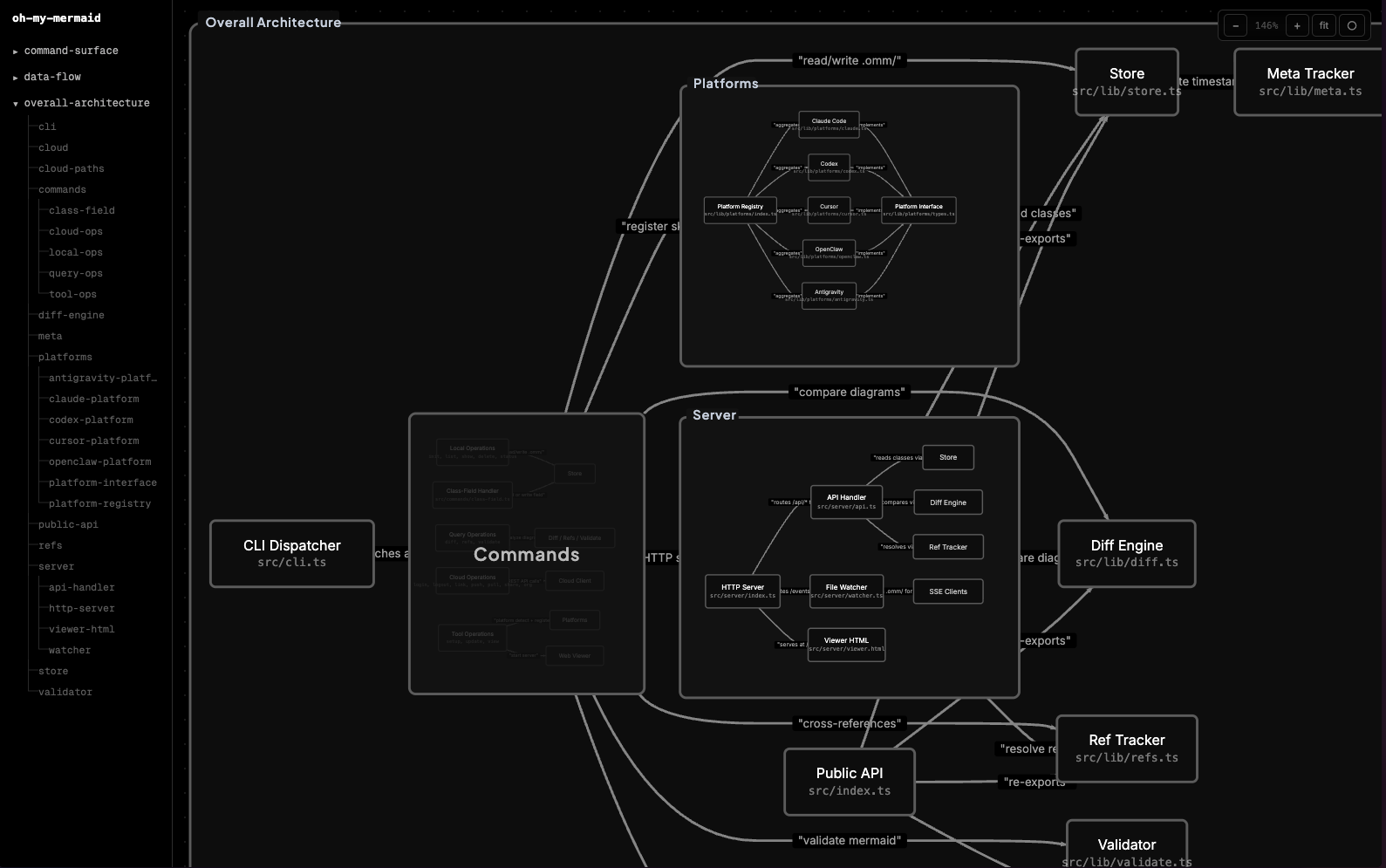</td> <td width="50%">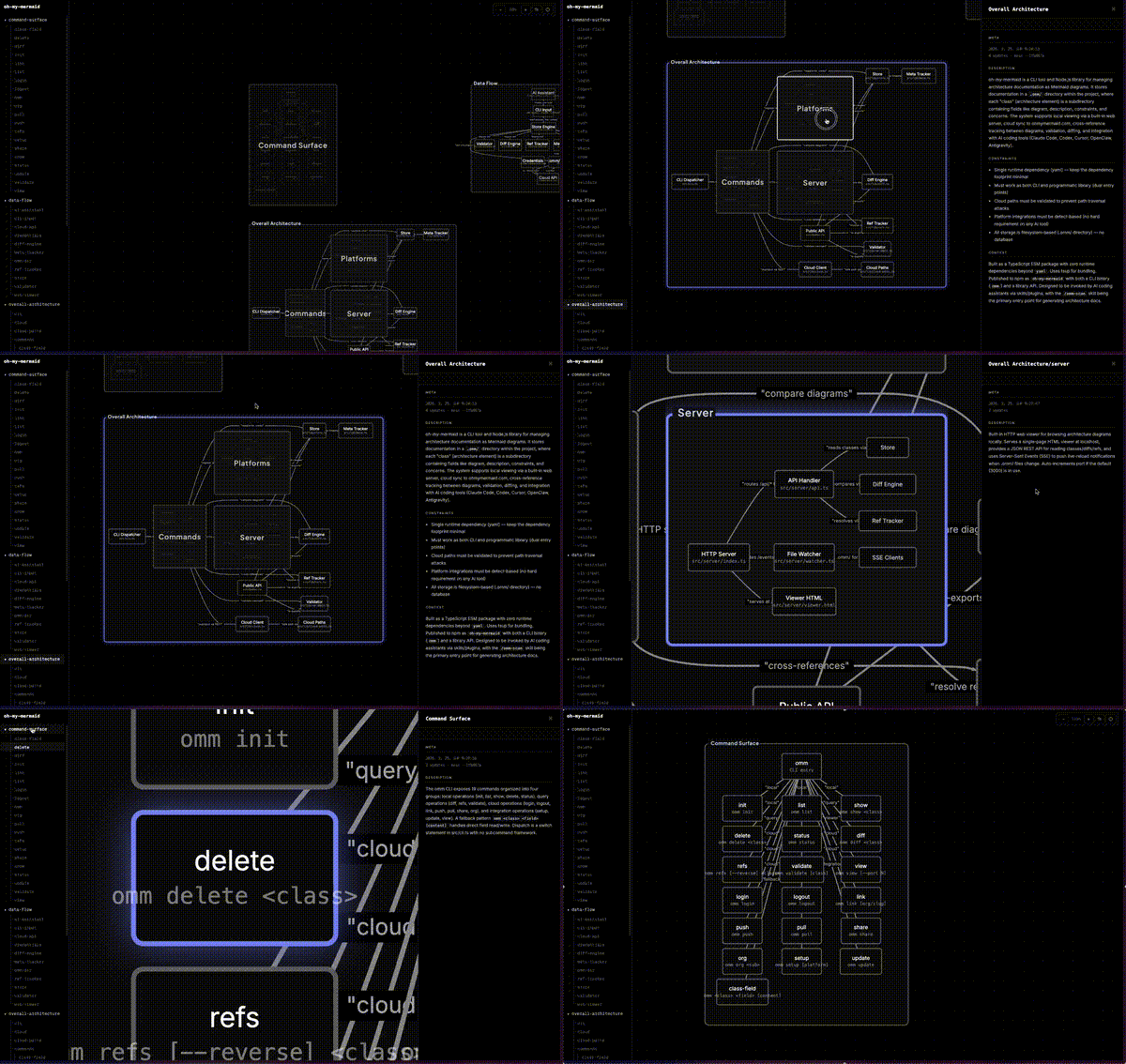</td> </tr></table>omm scanned itself. This is what it found.
How It Works
Your AI analyzes the codebase and generates perspectives — different lenses on your architecture (structure, data flow, integrations...). Each perspective contains a Mermaid diagram and documentation fields.
Every node gets recursively analyzed. Complex nodes become nested child elements with their own diagrams. Simple ones stay as leaves. The filesystem reflects the tree:
.omm/
├── overall-architecture/           ← perspective
│   ├── description.md
│   ├── diagram.mmd
│   ├── context.md
│   ├── main-process/               ← nested element
│   │   ├── description.md
│   │   ├── diagram.mmd
│   │   └── auth-service/           ← deeper nesting
│   │       └── ...
│   └── renderer/
│       └── ...
├── data-flow/
└── external-integrations/
The viewer auto-detects nesting from the filesystem — elements with children render as expandable groups, others as nodes.
Each element carries up to 7 fields: description, diagram, context, constraint, concern, todo, note.
CLI
omm setup                          # Register skills with your AI tools
omm view                           # Open interactive viewer
omm config language ko             # Set content language
omm update                         # Update to latest version
Run omm help for the full command list.
Skills
Skills are commands you run inside your AI coding tool (not the terminal). They start with /.
| Skill | What it does |
|---|---|
/omm-scan | Analyze codebase → generate architecture docs |
/omm-push | Login + link + push to cloud in one step |
Cloud
You can store your architecture in the cloud via ohmymermaid.com.
omm login && omm link && omm push
It's private by default. Share with your team, or make it public like this example.
Supported AI Tools
| Platform | Setup |
|---|---|
| Claude Code | omm setup claude |
| Codex | omm setup codex |
| Cursor | omm setup cursor |
| OpenClaw | omm setup openclaw |
| Antigravity | omm setup antigravity |
Run omm setup to auto-detect and configure all installed tools.
Roadmap
See docs/ROADMAP.md.
Development & Contributing
git clone https://github.com/oh-my-mermaid/oh-my-mermaid.git
cd oh-my-mermaid
npm install && npm run build
npm test
Issues and PRs welcome. Use Conventional Commits.
License
Reviews
No reviews yet. Be the first.
Related
ECC
Harness-native ECC plugin for engineering teams - 63 agents, 249 skills, 79 legacy command shims, reusable hooks, rules, MCP conventions, and operator workflows for Claude Code plus adjacent agent harnesses
career-ops
AI job search command center — evaluate offers, generate CVs, scan portals, track applications
ponytail
Lazy senior dev mode. Forces the simplest, shortest solution that actually works: YAGNI, stdlib first, no unrequested abstractions.
mh install plugins/oh-my-mermaid