mindmap-markmap-viewer
Turn Markdown outlines, notes, docs, or plans into an interactive mind map — a single self-contained HTML file that opens offline anywhere (markmap.js, white-on-dark, zoom/expand/export toolbar, context-preserving search).
pinned to #2212c0bupdated 3 months ago
Ask your AI client: “install plugins/mindmap-markmap-viewer”.
Requires the metahub MCP server installed in your client. Set up MCP.
mh install plugins/mindmap-markmap-viewermetahub onboarded this repo on the author's behalf.
If you own github.com/Jaderson-bit/mindmap-markmap-viewer on GitHub, claim the listing to take over publishing. Your claim preserves the existing eval history and badges; only the curator label is replaced with verified-publisher on your next publish.
Stars
61
Last commit
3 months ago
Latest release
published
- #claude
- #claude-code
- #claude-skill
- #markdown
- #markmap
- #mind-map
- #mindmap
- #skill
- #streamlit
- #visualization
Automated checks the publisher passed at publish time — structure, docs, safety, and whether the artifact behaves as claimed.2212c0b· 3 months ago
Behavioral checks ran but aren't published for this artifact; the static checks above ran at publish time.
Kind-specific
3 passed1 warningPlugin: bundled artifacts presentwarn
Couldn't find a skills/ subdir or an MCP server config inside the plugin
A plugin is most useful when it bundles ≥ 1 skill or an MCP server.
Plugin: manifest fields complete
Plugin: bundle shape
empty bundle
Plugin: manifest location
manifest at .claude-plugin/plugin.json (modern convention)
Release history
1- releasecurrent2212c0bwarn3 months ago
Contents
A Claude Code skill that turns hierarchical Markdown into an interactive SVG mind map with markmap.js — readable white-on-dark by default, with expand-by-level control and a search that filters the tree to matches plus their ancestors and descendants (so a hit always shows up in context, not floating alone). Works standalone or embedded in Streamlit.
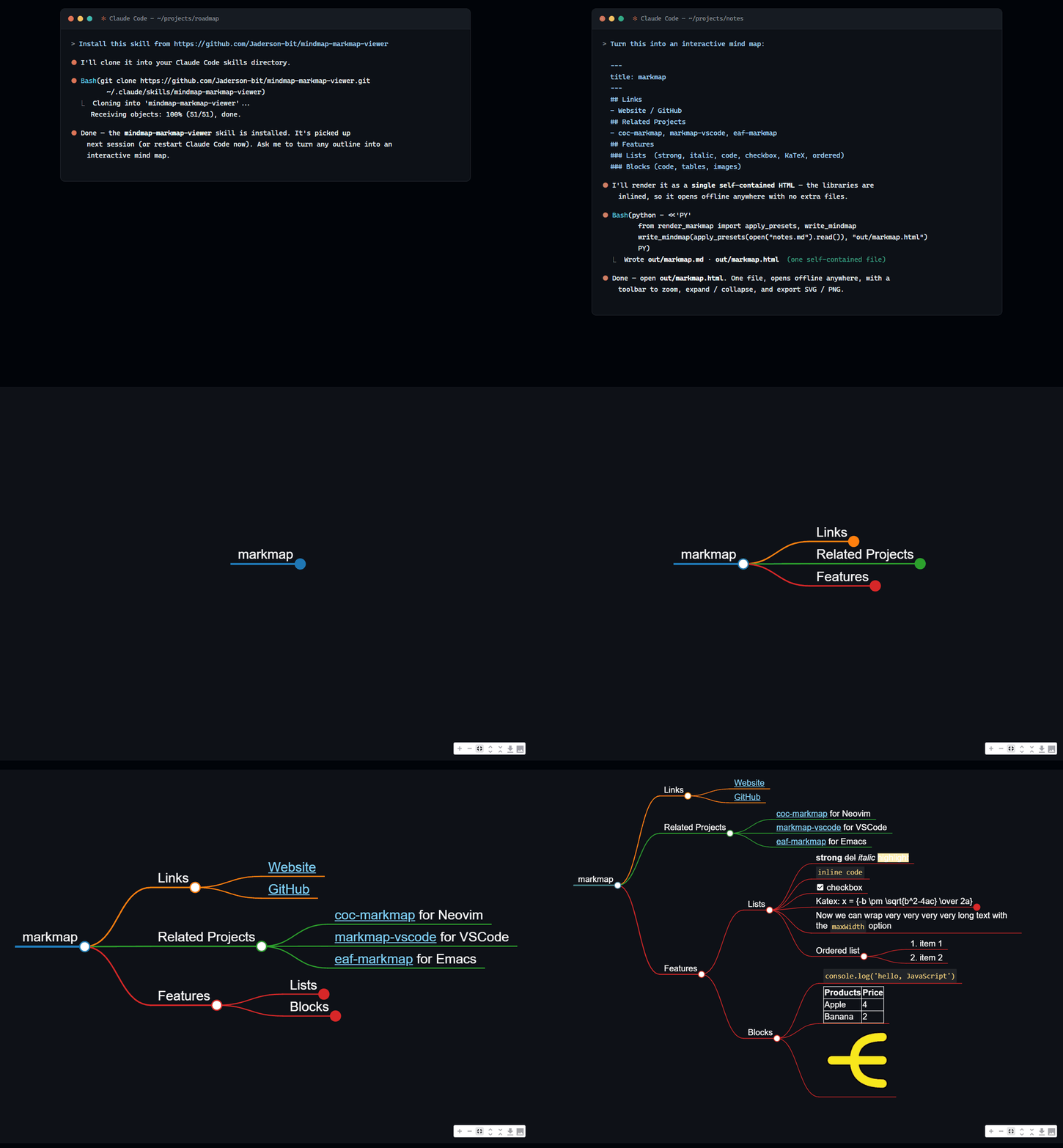
▶ Live demo — an actual generated map, in your browser: pan, zoom, fold branches, export SVG/PNG. The page is one self-contained HTML file, exactly what the skill produces.
Try it in one line
No install needed — paste this into Claude (Claude Code or the app):
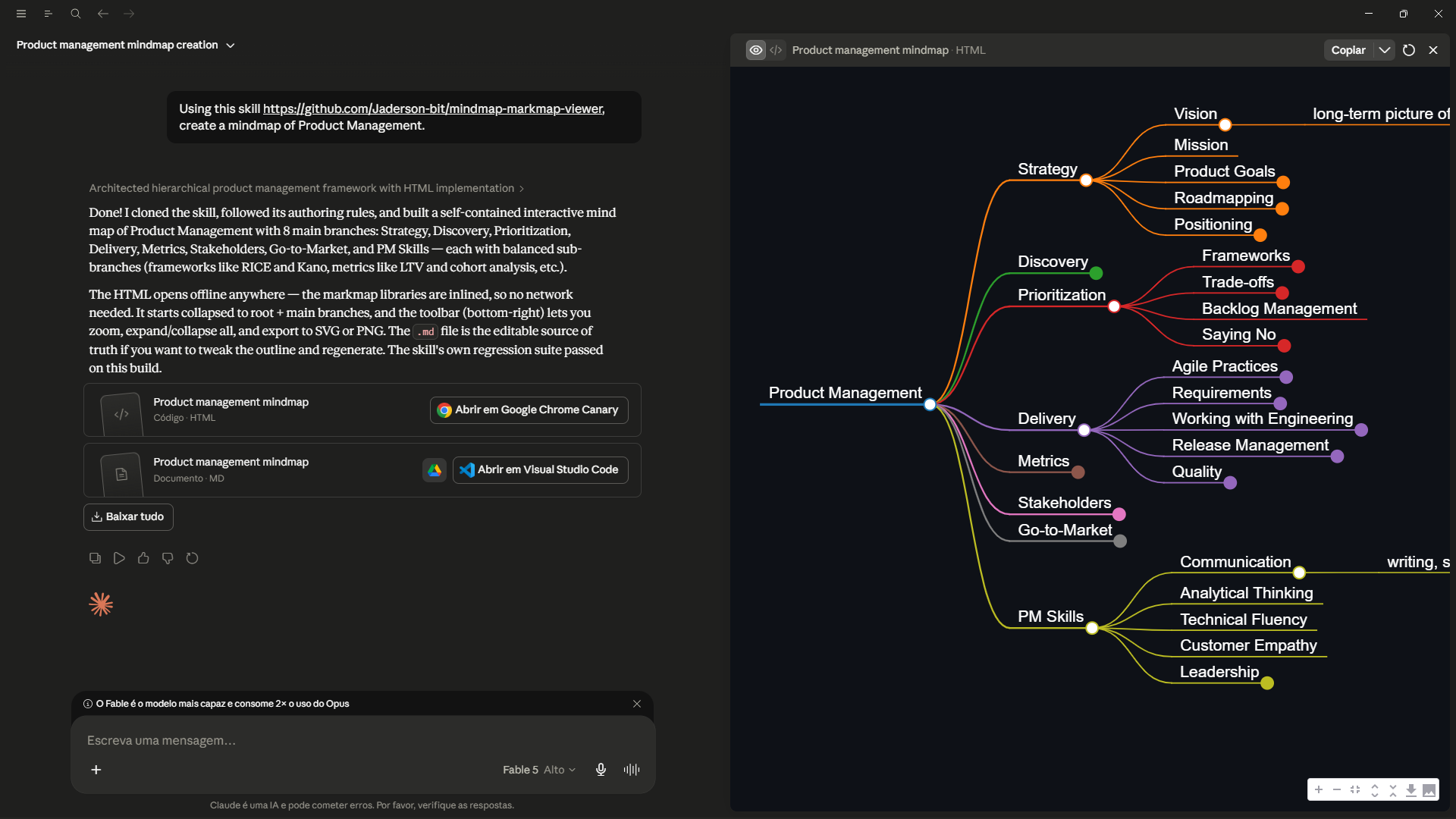
Using this skill https://github.com/Jaderson-bit/mindmap-markmap-viewer, create a mindmap of Product Management.
Claude clones the skill on the fly, follows its authoring rules (balanced branches, short labels), and hands back an interactive .html that opens offline plus the editable .md source of truth. Swap "Product Management" for anything you want mapped.
Why this exists
markmap renders a Markdown outline as a zoomable mind map, but three things need a layer on top to be genuinely usable:
- Visibility — a white font is invisible on the white default surface; the renderer paints its own dark backdrop so the map is readable everywhere, not just in a dark host.
- Expand control — collapse to N levels or expand everything, without rebuilding the map.
- Search that keeps context — filtering to just the matching nodes loses the path that explains where a hit lives; this keeps ancestors and the matched subtree.
Features
- One call to a single self-contained HTML file (
build_html/write_mindmap) — the markmap stack (vendored locally and pinned exact) is inlined into the page, so the one.htmlopens offline anywhere with no CDN, no network, and no sibling files to keep alongside it. - Built-in navigation toolbar: zoom in/out, fit-to-window, expand-all / collapse-all, and export to SVG / PNG (2× raster, current fold state).
- Expand-by-level (
set_expand_level), including expand-all (-1). - Accent-insensitive, context-preserving search (
filter_markmap). - HTML-safe:
<,>,&in node text (List<String>,a < b) round-trip correctly instead of breaking the page. - Zero runtime dependencies for the core — Python standard library only. Streamlit is an optional import, used only when you embed.
Install
Ask Claude Code to install it from this repo:
Install this skill from https://github.com/Jaderson-bit/mindmap-markmap-viewer
Or, as a developer, clone it into your skills directory:
git clone https://github.com/Jaderson-bit/mindmap-markmap-viewer.git ~/.claude/skills/mindmap-markmap-viewer
Or copy a folder you already have:
cp -r mindmap-markmap-viewer ~/.claude/skills/
Usage
import sys
from pathlib import Path

SKILL = Path.home() / ".claude" / "skills" / "mindmap-markmap-viewer"  # wherever you cloned it
sys.path.insert(0, str(SKILL / "scripts"))
from render_markmap import build_html, set_expand_level, filter_markmap

src = (SKILL / "assets" / "example.md").read_text(encoding="utf-8")   # or your own outline
# optional: src, n = filter_markmap(src, "branch b")   # search + keep context
# optional: src = set_expand_level(src, -1)             # expand all
open("mindmap.html", "w", encoding="utf-8").write(build_html(src, height=850))
Inside Streamlit:
sys.path.insert(0, str(SKILL / "scripts"))             # SKILL as above
from render_markmap import render_markmap, set_expand_level
render_markmap(set_expand_level(src, 2), height=850)
See SKILL.md for the source format and authoring rules.
Layout
mindmap-markmap-viewer/
├── SKILL.md                     # operational guide (loads when the skill triggers)
├── scripts/render_markmap.py    # build_html / set_expand_level / filter_markmap
├── assets/
│   ├── example.md               # minimal sample outline
│   └── vendor/                  # pinned markmap + d3 libs, loaded locally (offline)
├── evals/                       # dependency-free regression suite + eval prompts
└── references/
    ├── internals.md             # how the helpers work and why
    └── lessons.md               # real-world lessons + adversarial counter-review
Tests
python evals/test_render_markmap.py
A dependency-free suite; every check is labeled with the bug it locks down.
Battle-tested
The renderer and text transforms were hardened against a multi-agent adversarial review (12 confirmed findings, each verified by a second agent that tried to refute it). The findings — and the process — are documented in references/lessons.md.
Reviews
No reviews yet. Be the first.
Related
taste-skill
Frontend design taste skills including brutalist, minimalist, soft, redesign, stitch, and more
ECC
Harness-native ECC plugin for engineering teams - 63 agents, 249 skills, 79 legacy command shims, reusable hooks, rules, MCP conventions, and operator workflows for Claude Code plus adjacent agent harnesses
ponytail
Lazy senior dev mode. Forces the simplest, shortest solution that actually works: YAGNI, stdlib first, no unrequested abstractions.
mh install plugins/mindmap-markmap-viewer